

Appearance
Inviting users
You can invite new users to the Synthix Flow platform as follows.
Creating a user invite
From the settings page you can invite a user to the Synthix platform.
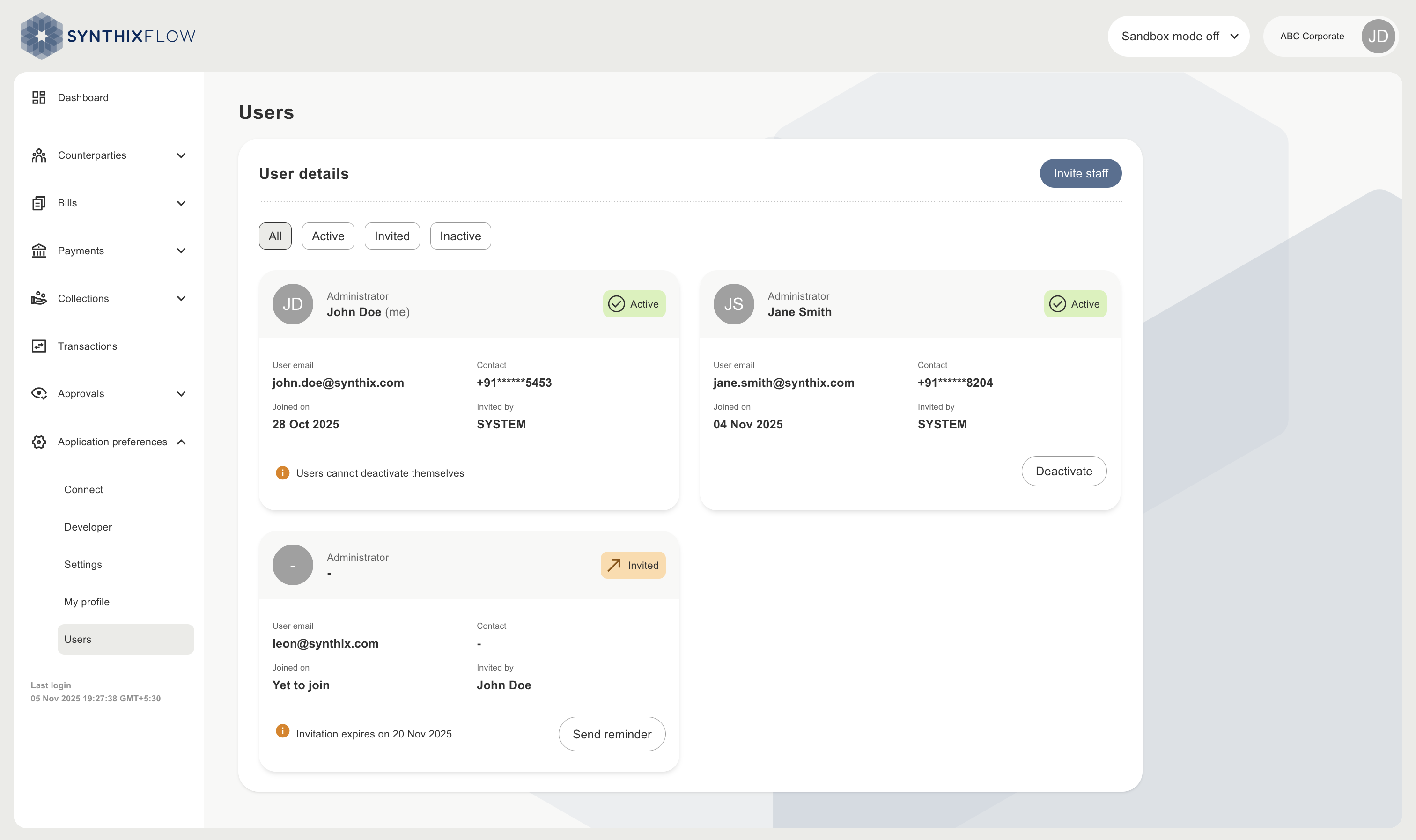
Go to Application preferences -> Users -> Invite staff
Enter the email address of the user and assign their permissions. Click on “send invitation” to issue the invitation to the user.
The user will receive an invitation email to join your account on the Synthix Flow platform. 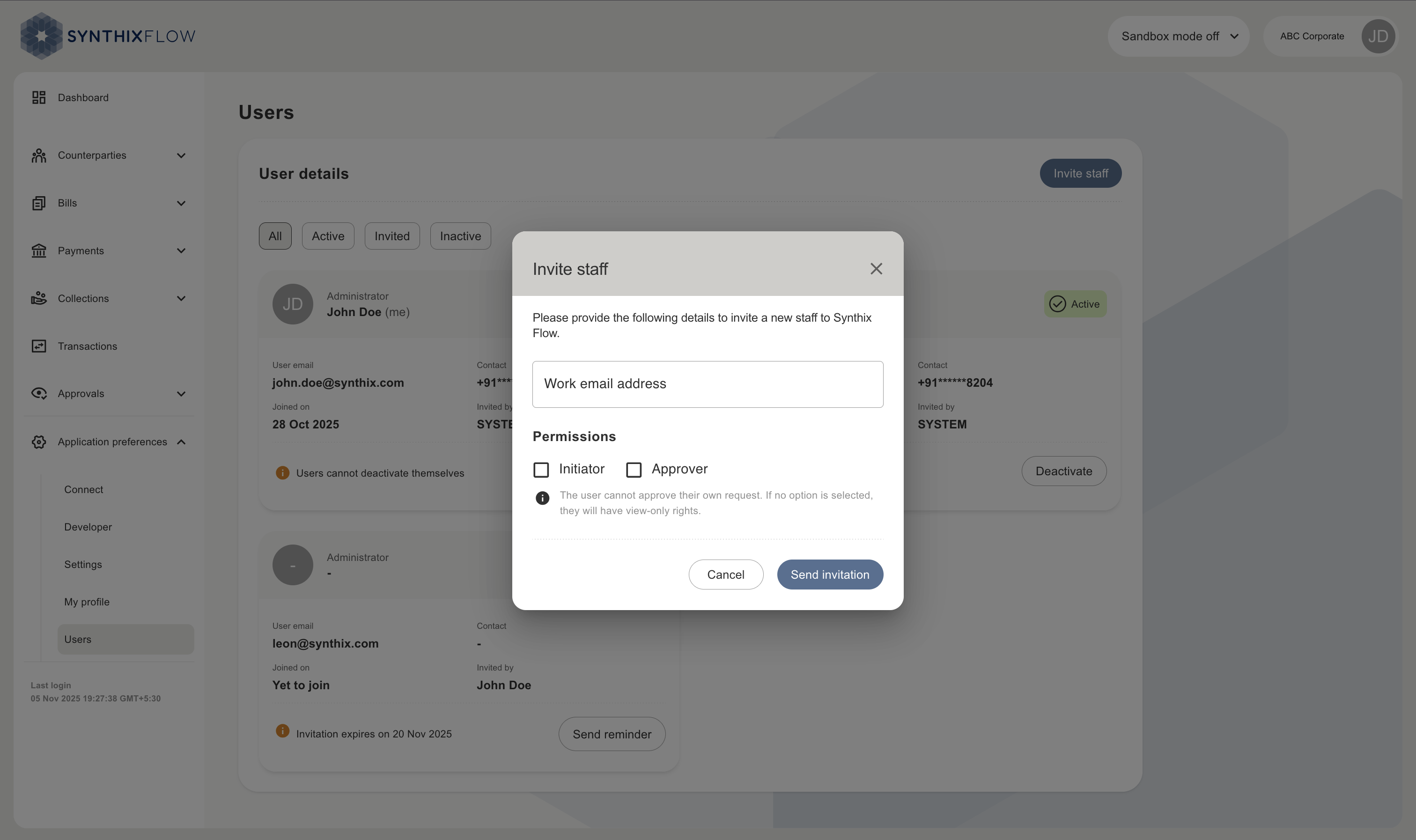
The status of the invitation can be monitored in the users section.
Creating a user account
This follows the same process as Creating a user account