Appearance
Settings
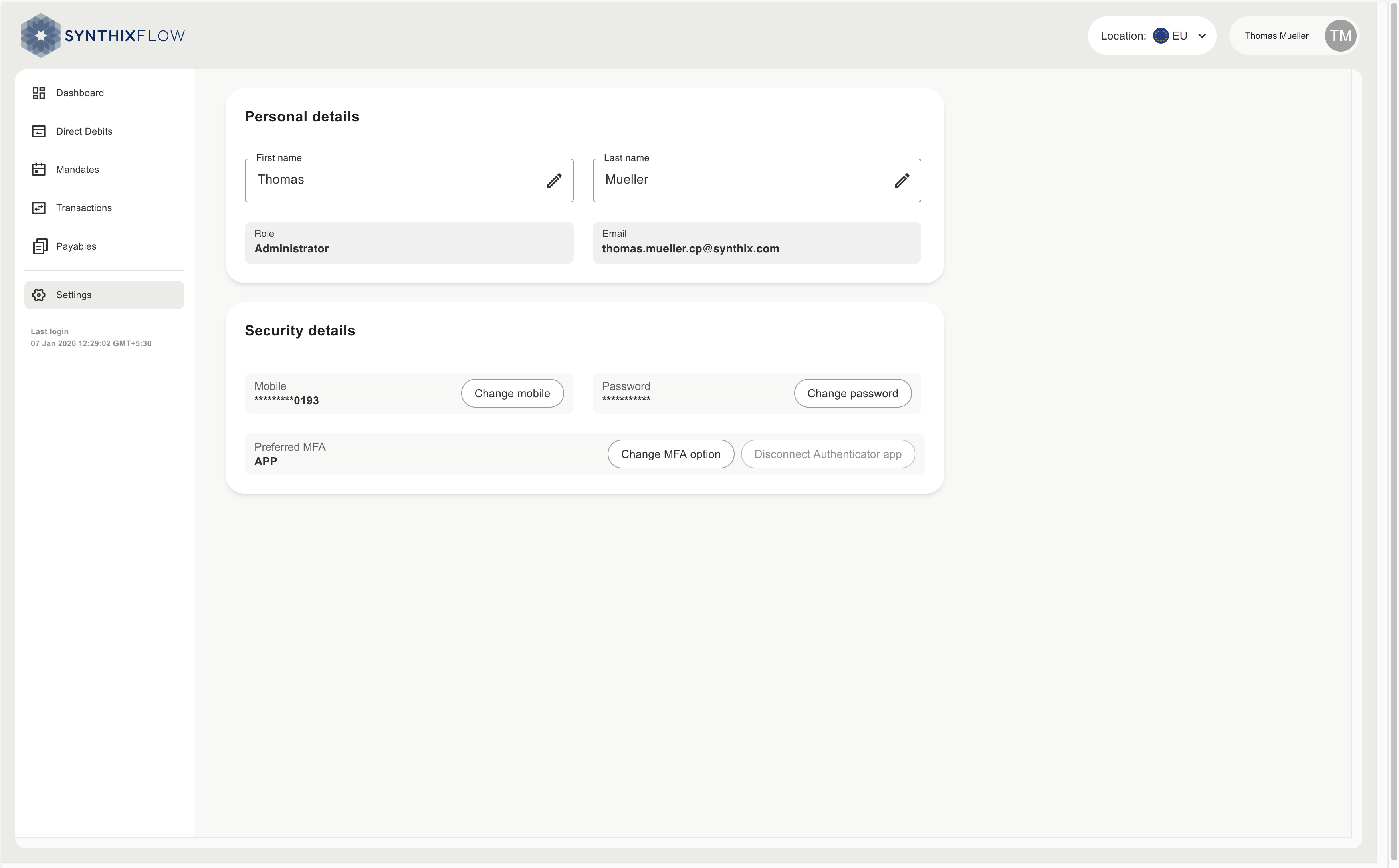
This section is counterparty user can manage their identity and security settings. Including personal details, 2FA Authentication preferences and business information.
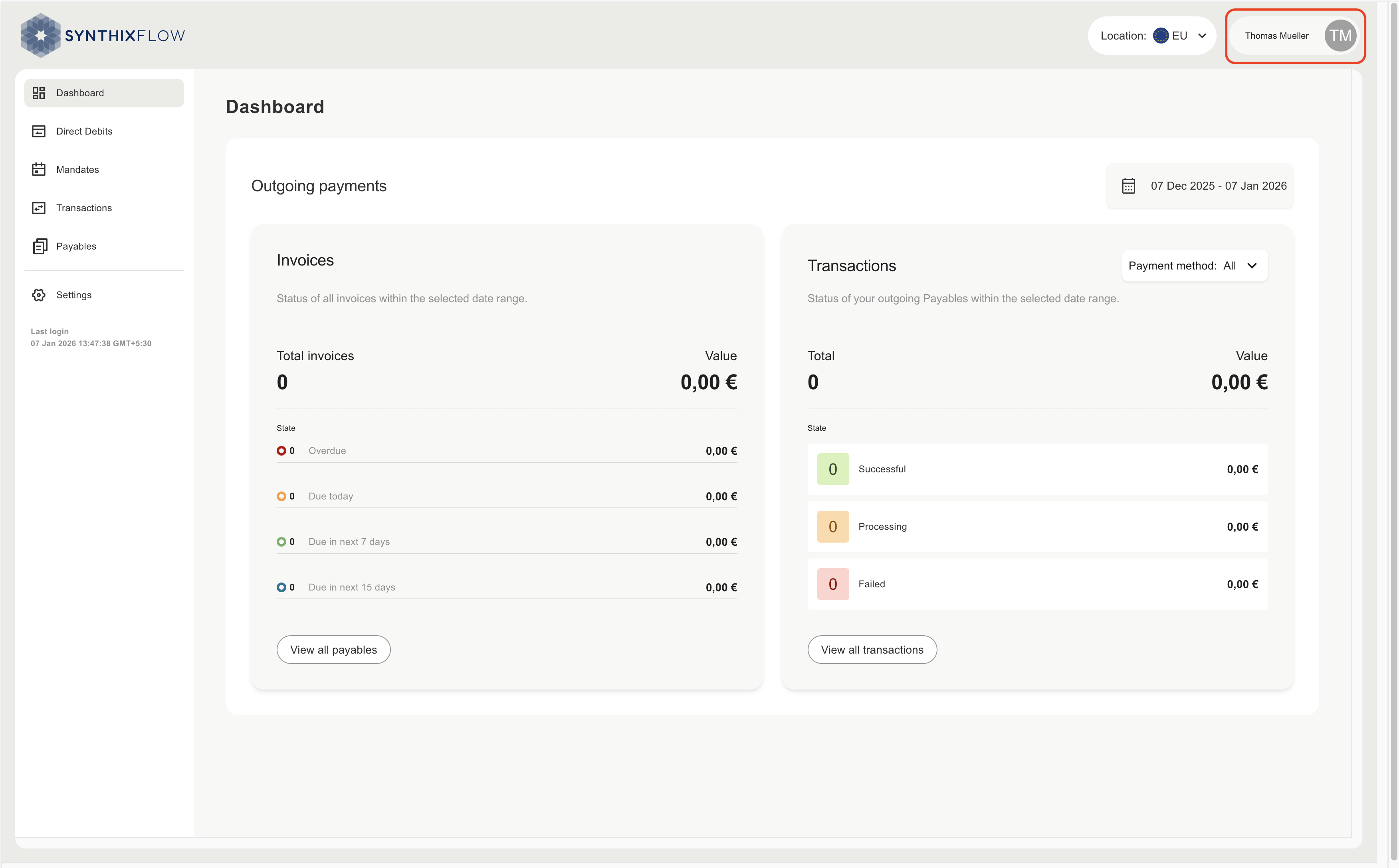
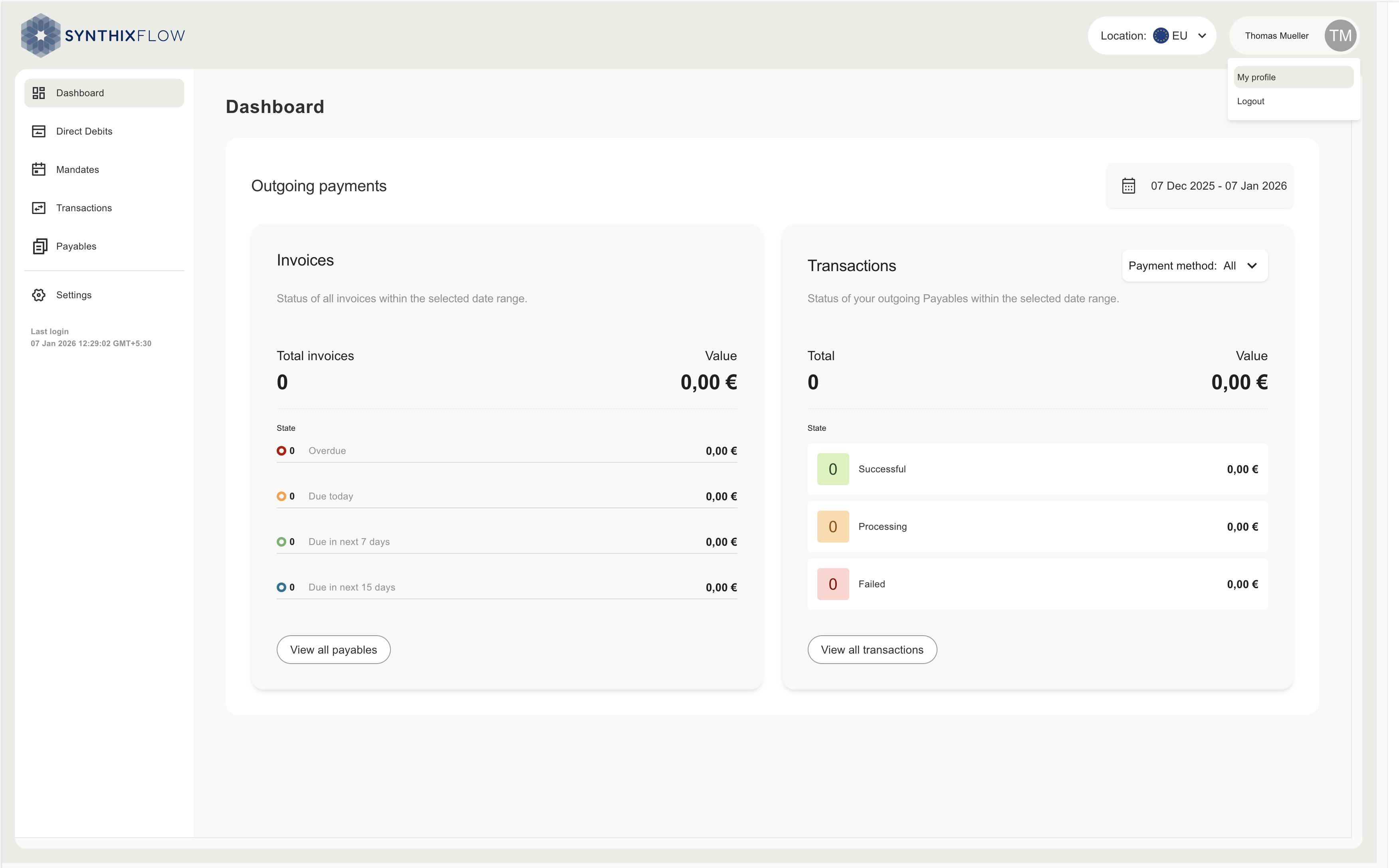
The settings section can also be accessed by clicking the your name abbrevation, as shown below.
Personal Details
First Name & Last Name
- Editable fields where users can update their first and last names.
- Each field has an edit icon (pencil) for making changes.
Role
- Displays the user’s assigned role (e.g., Administrator).
- This field is read-only and cannot be changed by the user.
Email
- Shows the registered email address.
- This field is read-only and cannot be edited directly.
Security Details
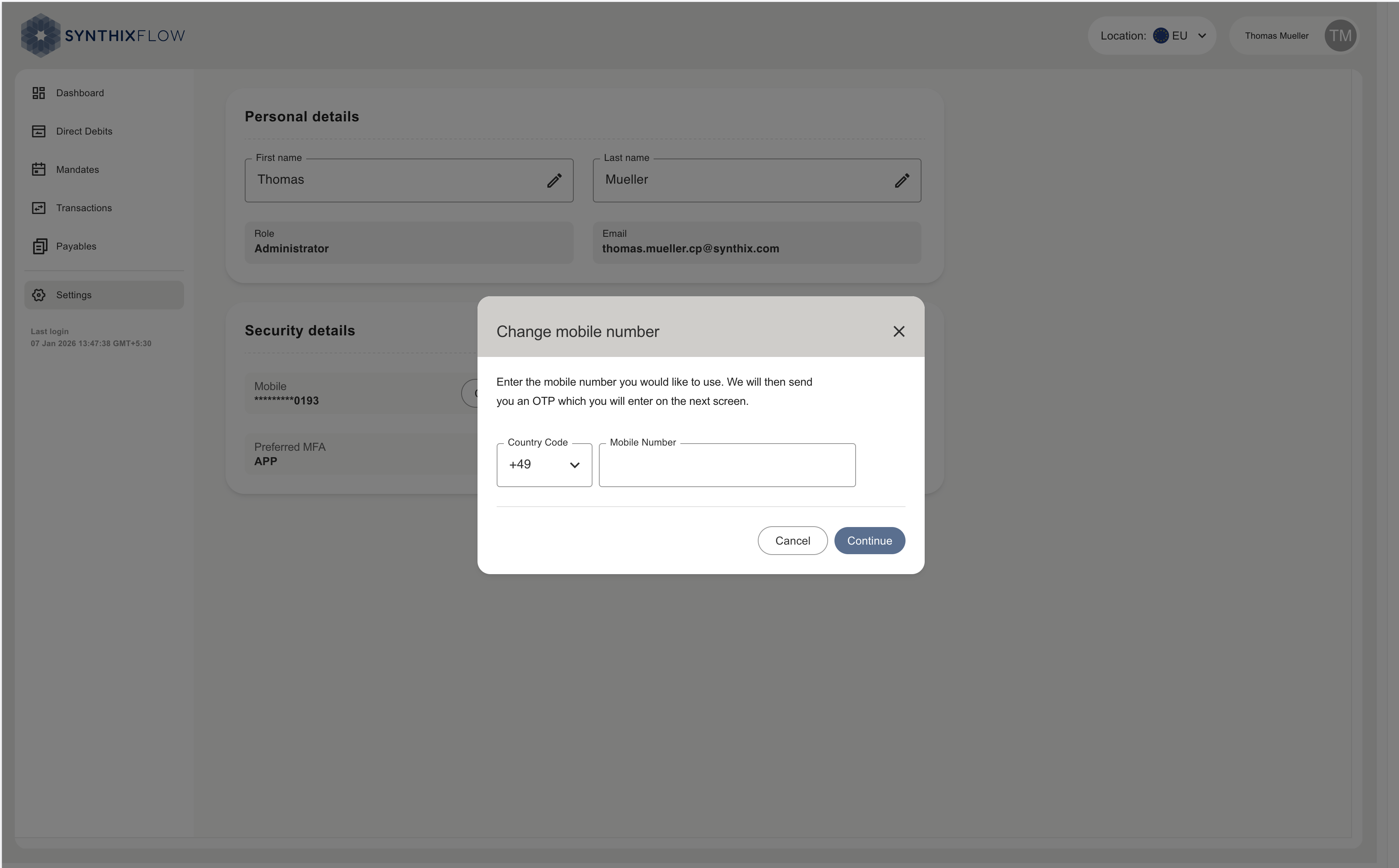
Mobile Number
- Displays the registered mobile number (partially masked for security).
- Change Mobile button allows updating the mobile number.
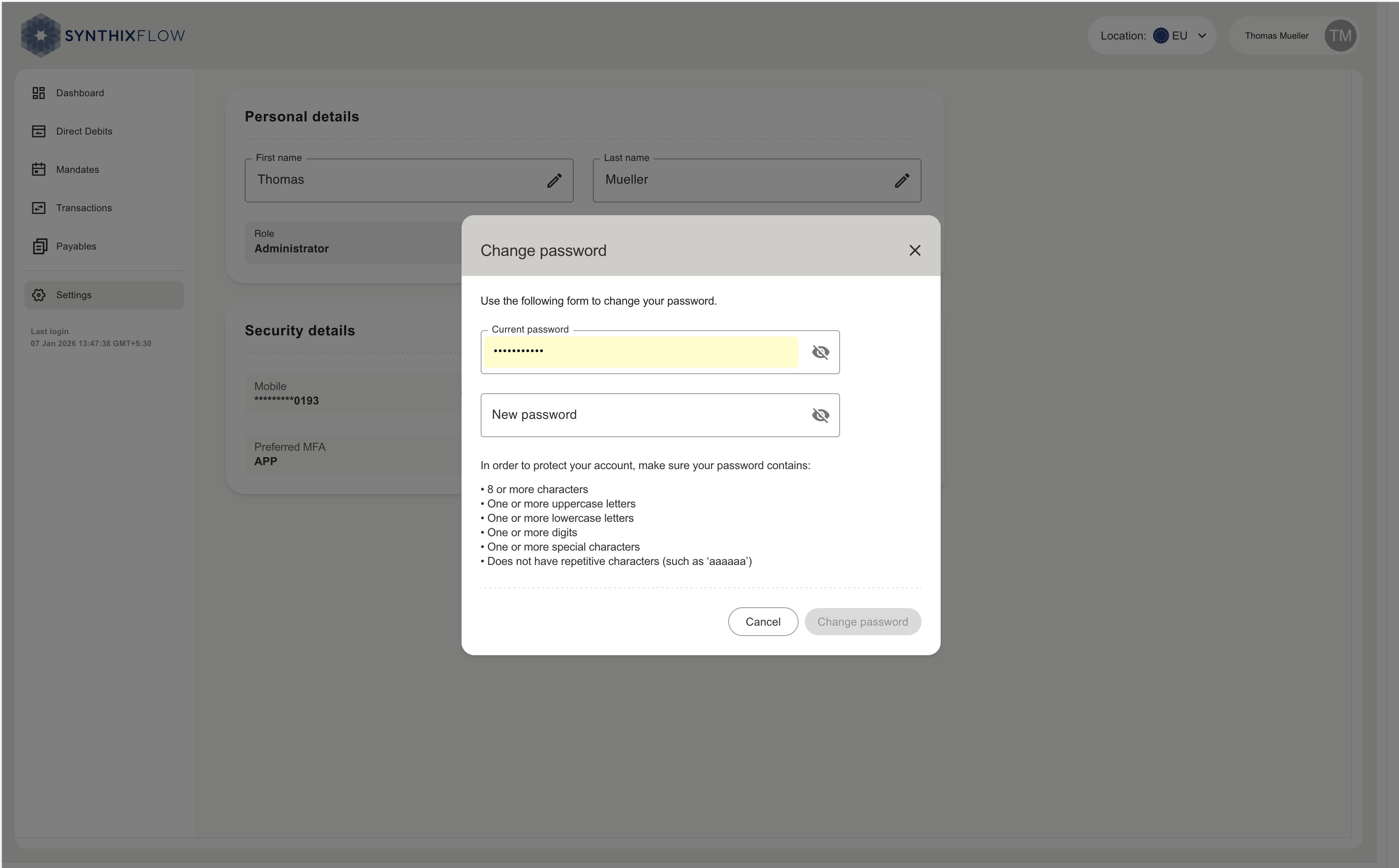
Password
- Change Password button enables users to update their login password.
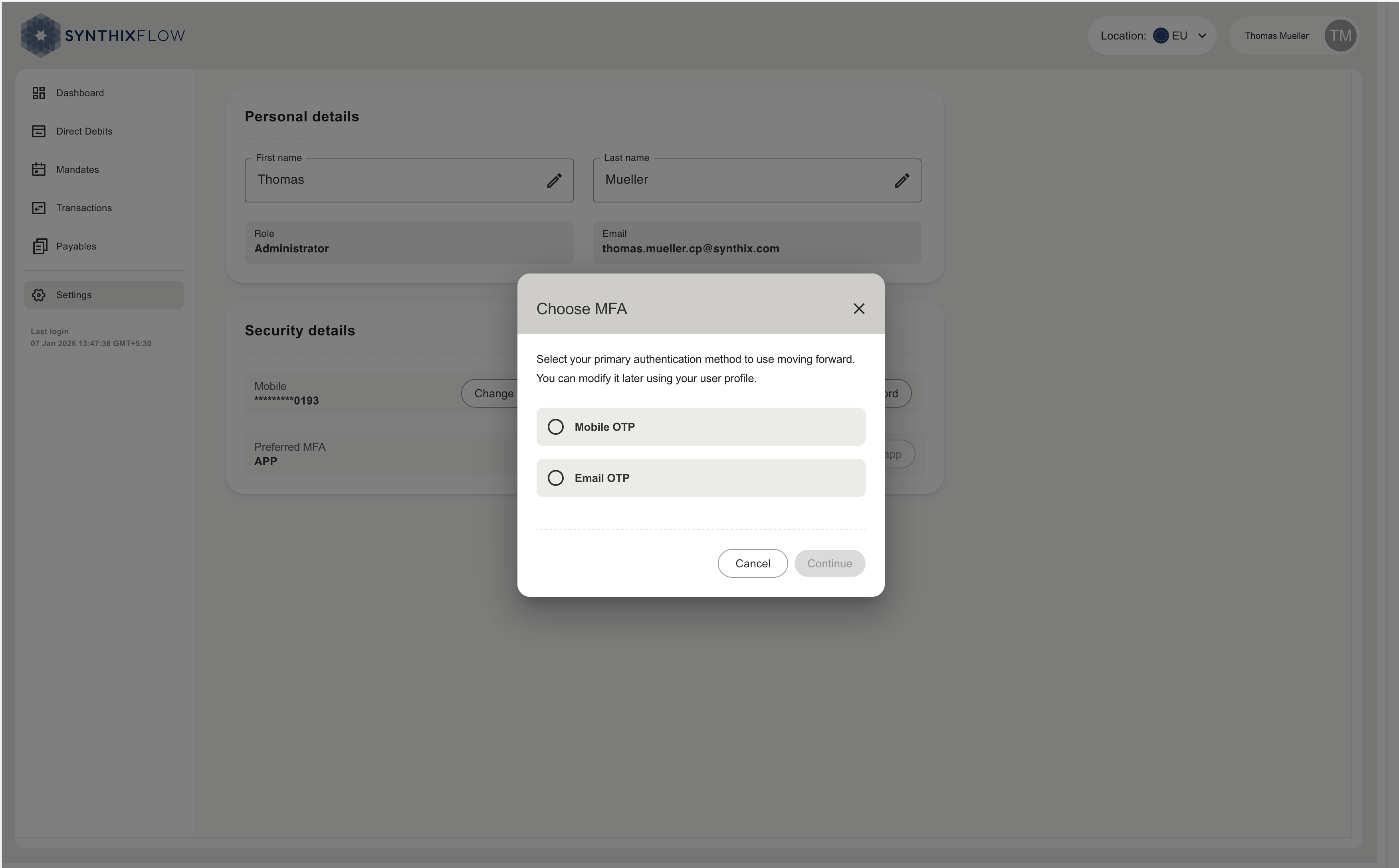
Preferred MFA (Multi-Factor Authentication) Option
- Shows the current MFA method (e.g., EMAIL).
- Change MFA Option button allows switching to another MFA method.
Setup Authenticator App
- Provides an option to configure an authenticator app for enhanced security.
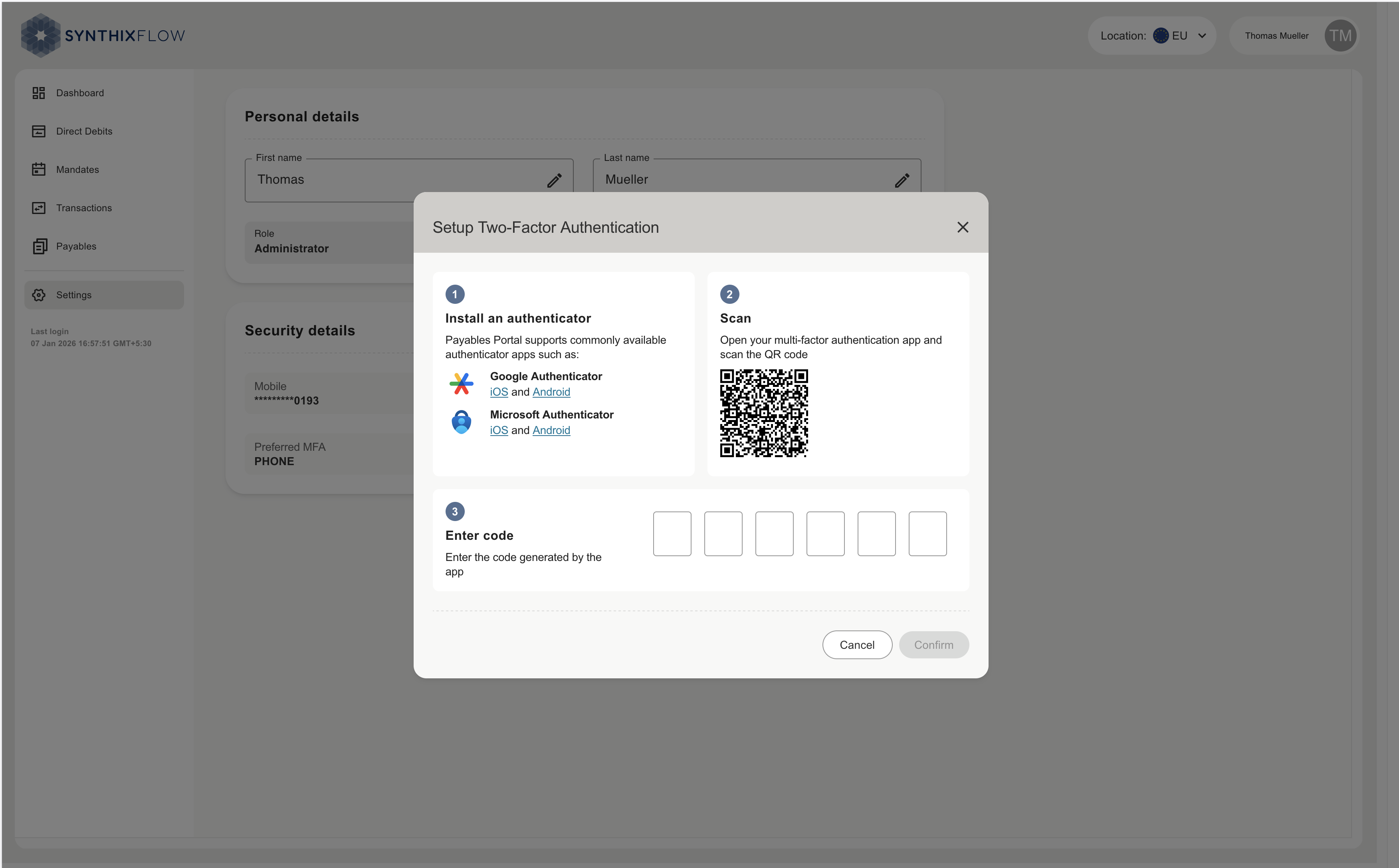
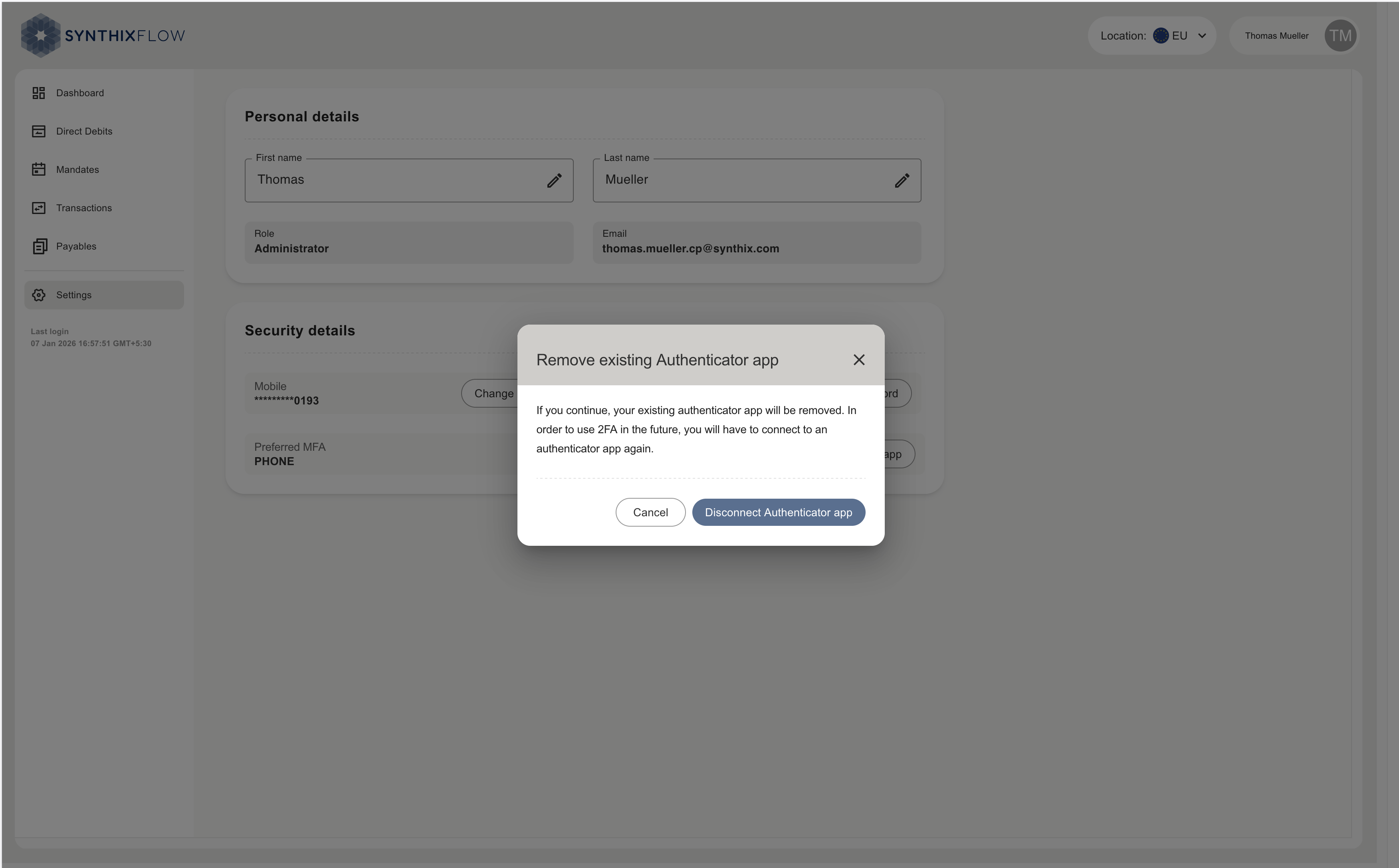
- Connected authenticator app can be disconnected.