Appearance
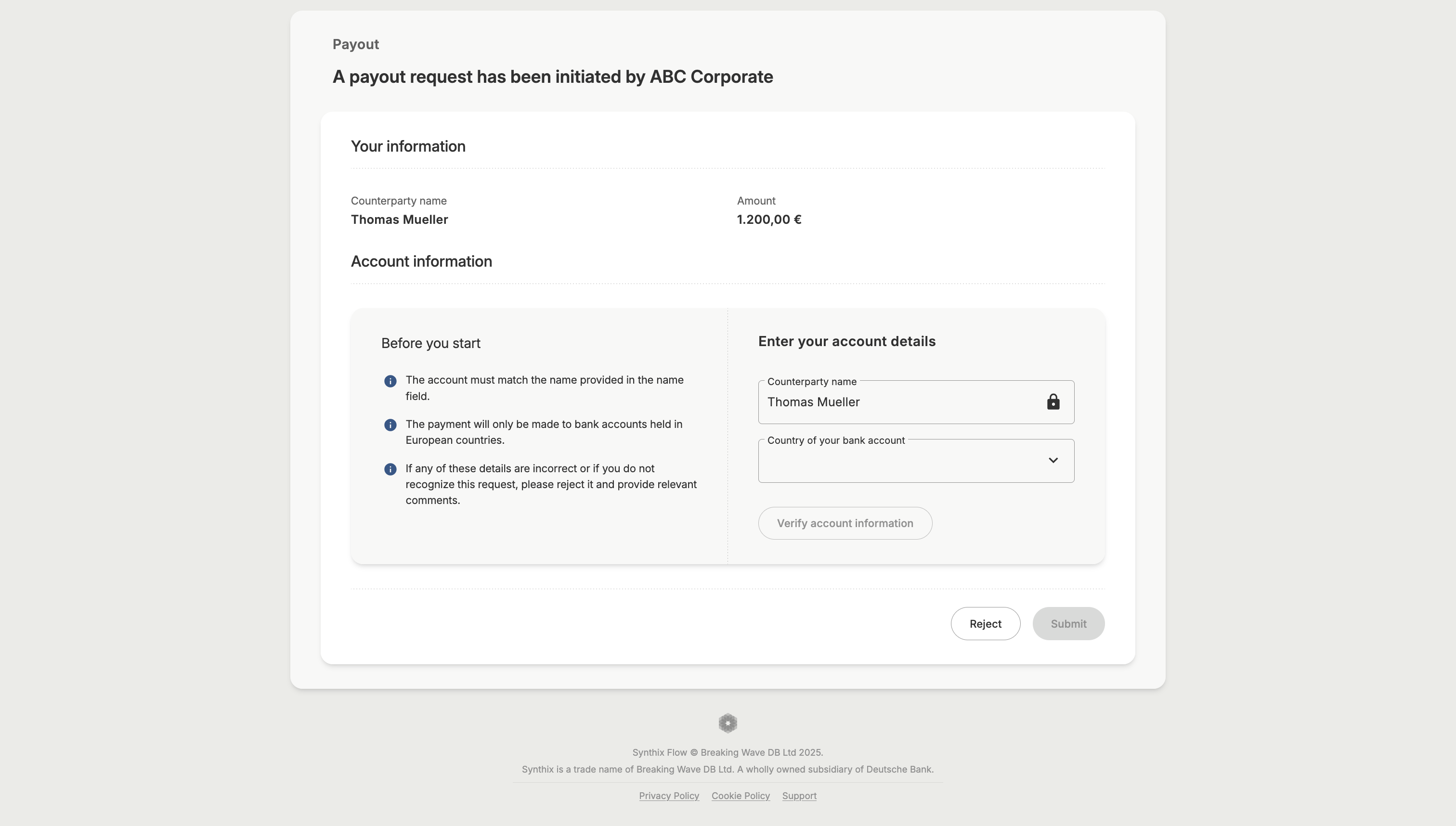
Counterparty payout page
The counterparty clicks the payout link received and is directed to the counterparty payout page, where they can review the payment details and the country of their bank account.
Enter account details
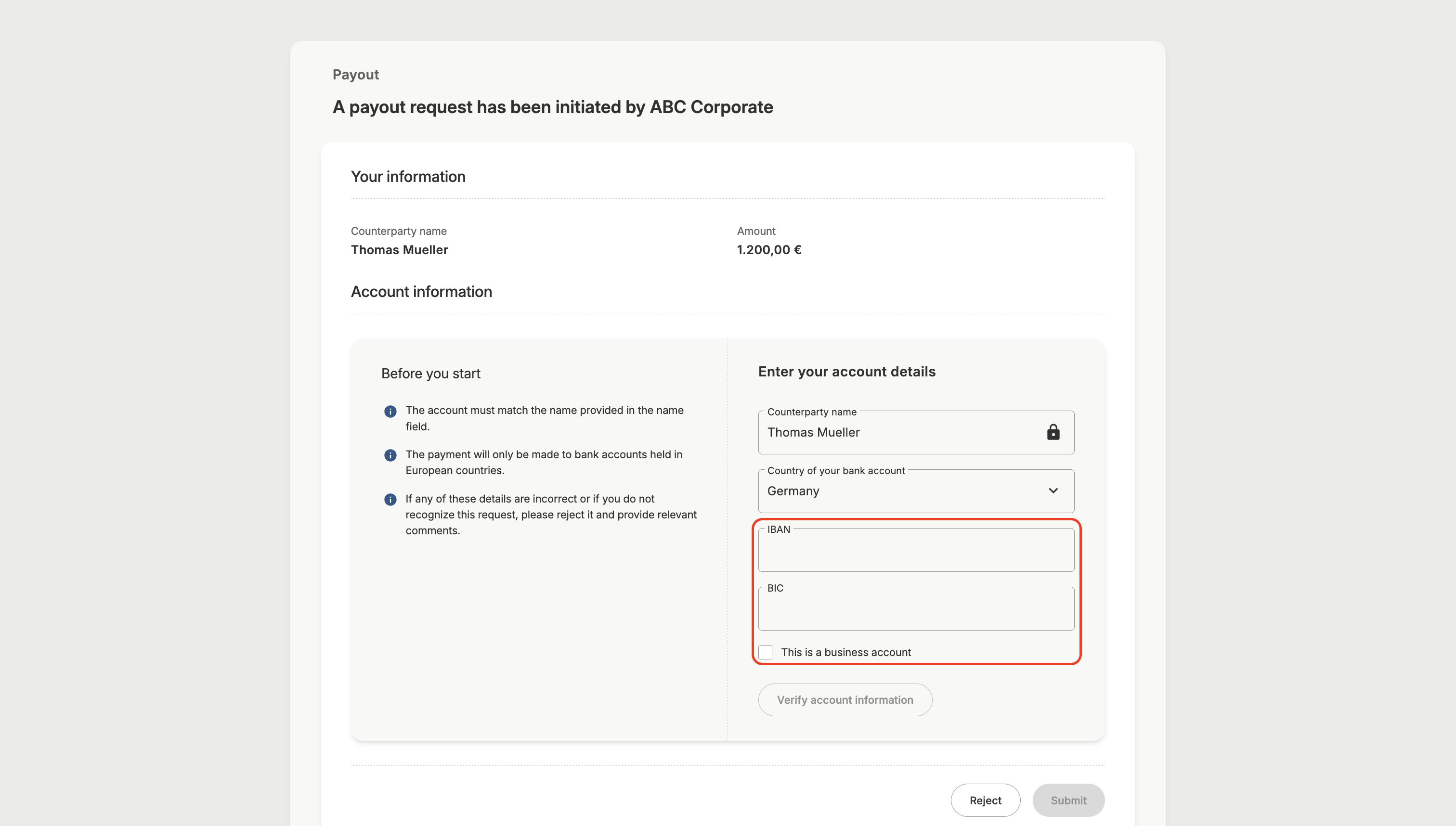
The counterparty then enters their account identifier, branch identifier and specifies the type of account.
If counterparty verification has been set as mandatory on the payout the counterparty must have the account verified before being able to submit the payout request. They do this by clicking on ‘verify account information’.
Verification retries are determined based on "Verification attempts" set during creation of payout.
Confirmation of Payout Submitted
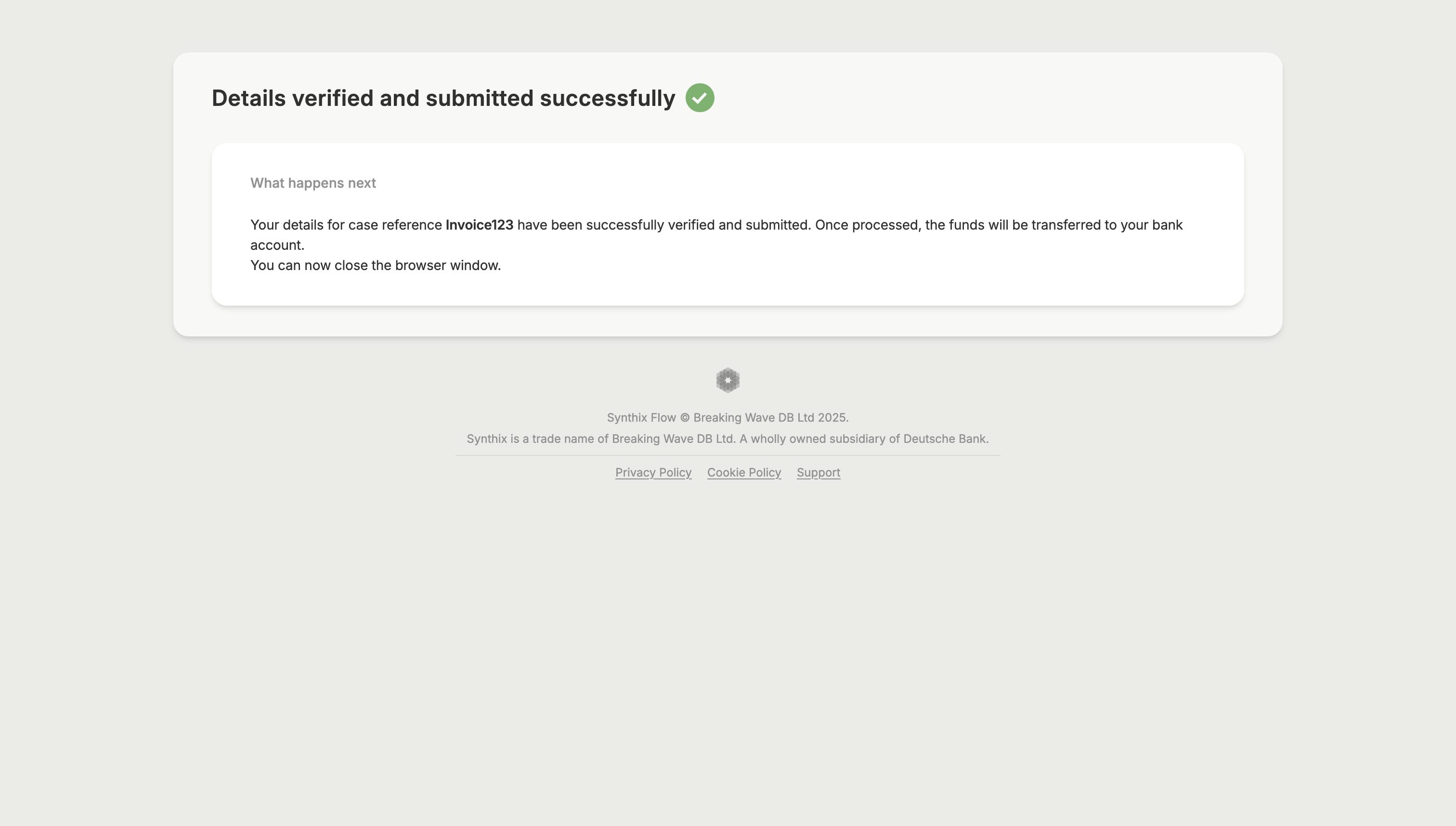
The counterparty on submission of the payout will receive confirmation and a summary.