

Appearance
Ingestions
Ingestions lets you import data into Synthix Flow in bulk by uploading files. Supported data types are Bills, Counterparties, and Payouts.
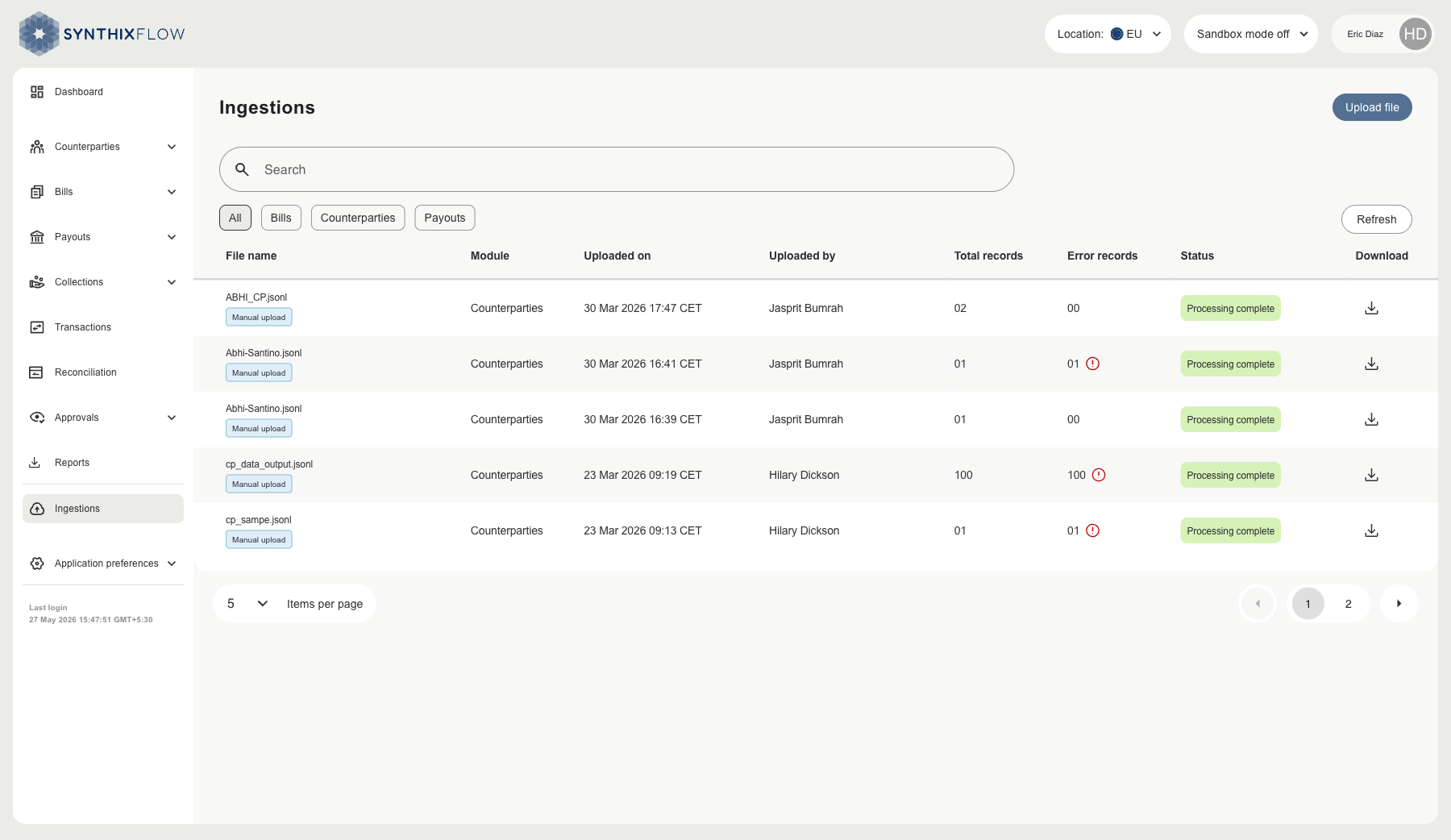
Ingestion List
The Ingestions page displays all files you have uploaded, along with their processing results.
| Column | Description |
|---|---|
| File name | Name of the uploaded file and how it was submitted |
| Module | The data type imported (Bills, Counterparties, or Payouts) |
| Uploaded on | Date and time the file was submitted |
| Uploaded by | Name of the user who uploaded the file |
| Total records | Number of records found in the file |
| Error records | Number of records that could not be processed |
| Status | Current processing state of the file |
| Download | Download the original or response file |
Use the Search bar to find a specific file by name. Use the filter buttons — All, Bills, Counterparties, Payouts — to narrow the list by data type.
Statuses
| Status | Description |
|---|---|
| Processing | The file has been received and is being imported |
| Processing complete | The file has been processed. Check the Error records column to see if any records were rejected |
If the Error records count is greater than zero, download the response file to view details for each failed record. See Download Results.
To upload a new file, see Upload a File.