

Appearance
Create a counterparty inline
You can create a new counterparty from the inline options available on the Synthix Flow platform. The inline "new counterparty" option is available when:
Inline "new counterparty" option
When creating a new payment/collection you can add a new counterparty by clicking the ‘New counterparty’ button.
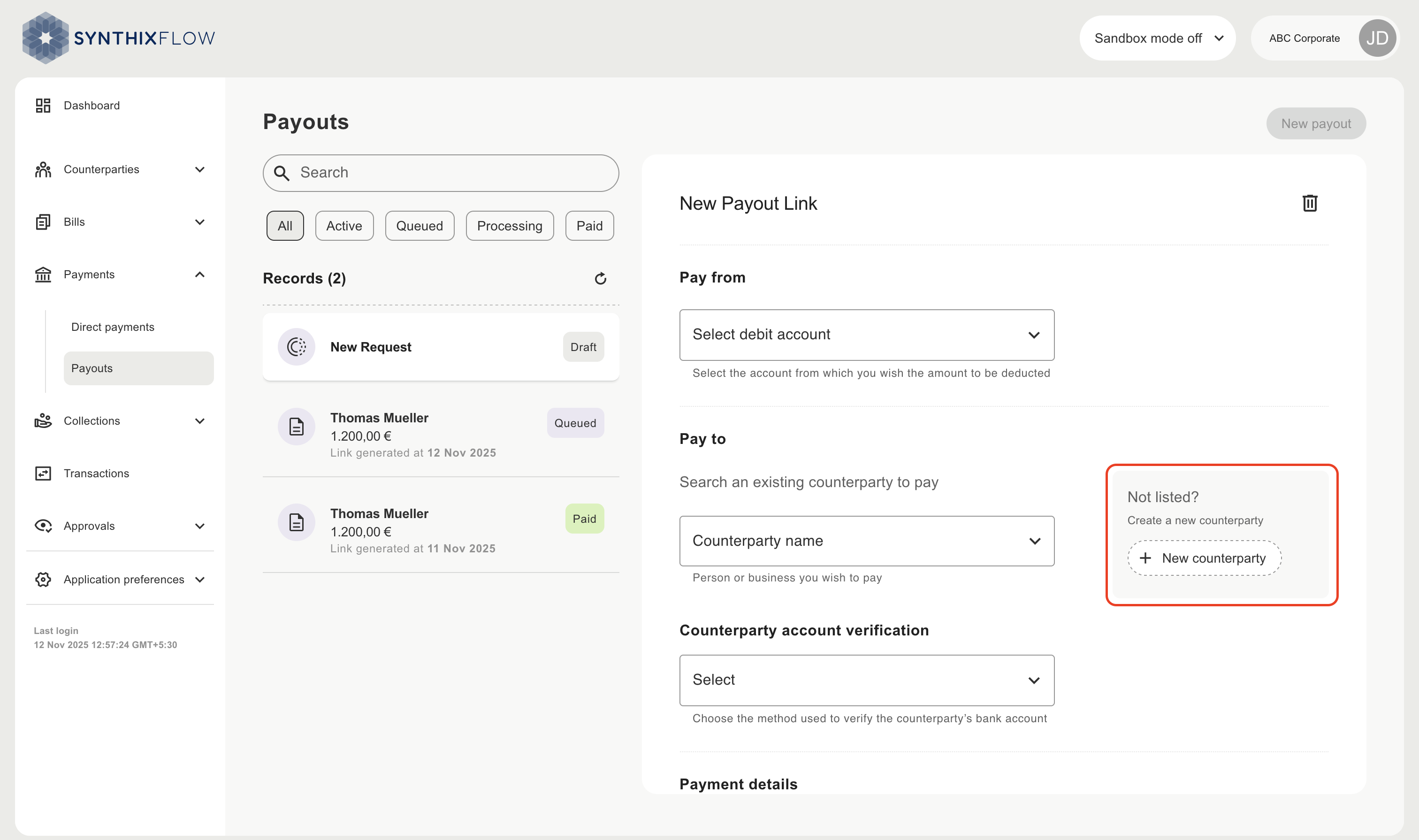
Inline create new counterparty
When adding a new counterparty you will need to provide the counterparty name and a reference.
When the payment or collection link is received, the counterparty can provide their bank details, in counterparty payout page ,to complete the transaction.
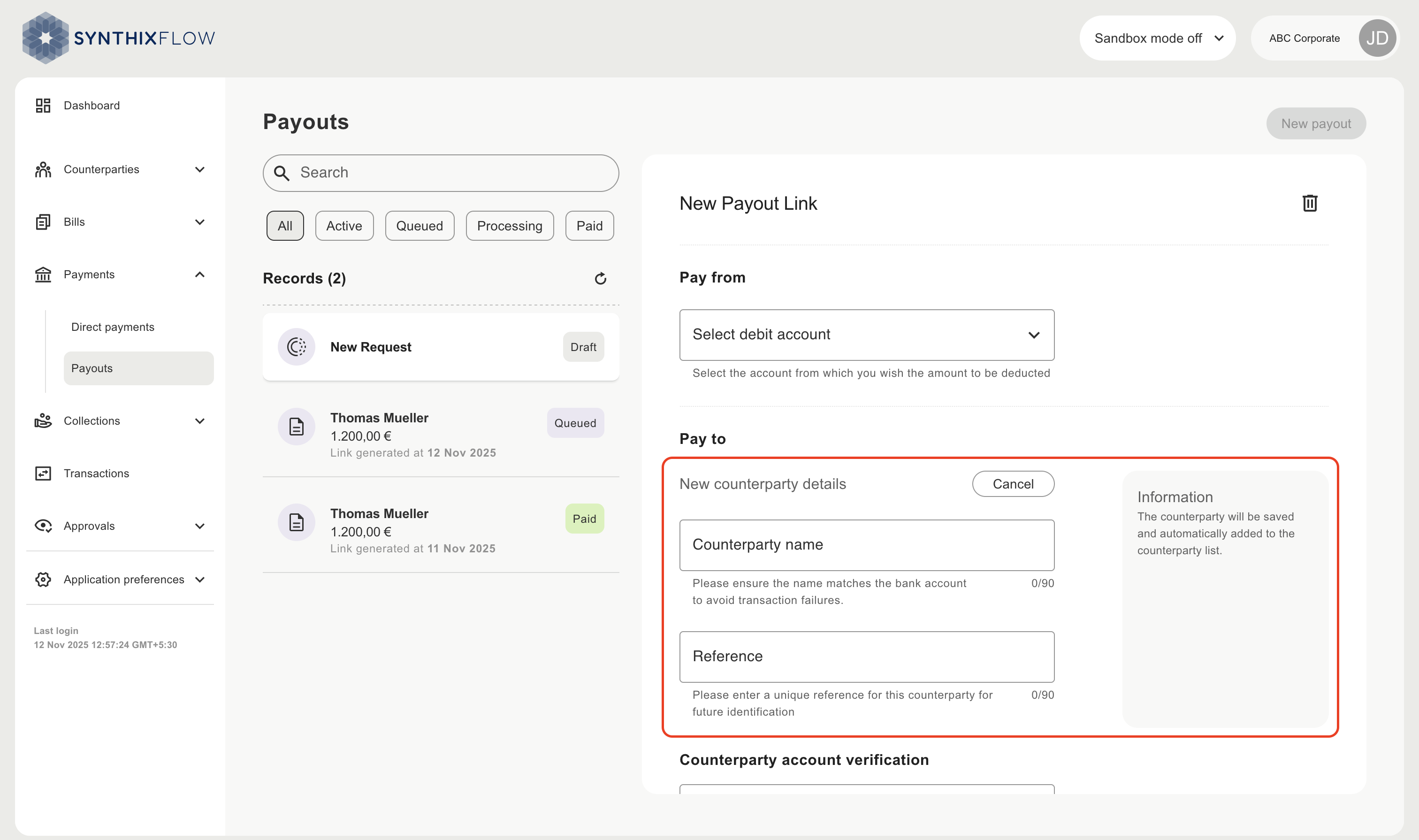
Save the new counterparty
The new counterparty is saved when you click ‘Generate link’. The counterparty will have status "Active" and can be viewed from the "All counterparties" menu.